

Artwork Changed After Approval. Which Production Assumptions Are Now Wrong?
A packaging artwork revision can invalidate more than the file itself. Plates, proofs, material yield, version splits, tooling references, scheduling and delivery assumptions may all need review.
The short answer
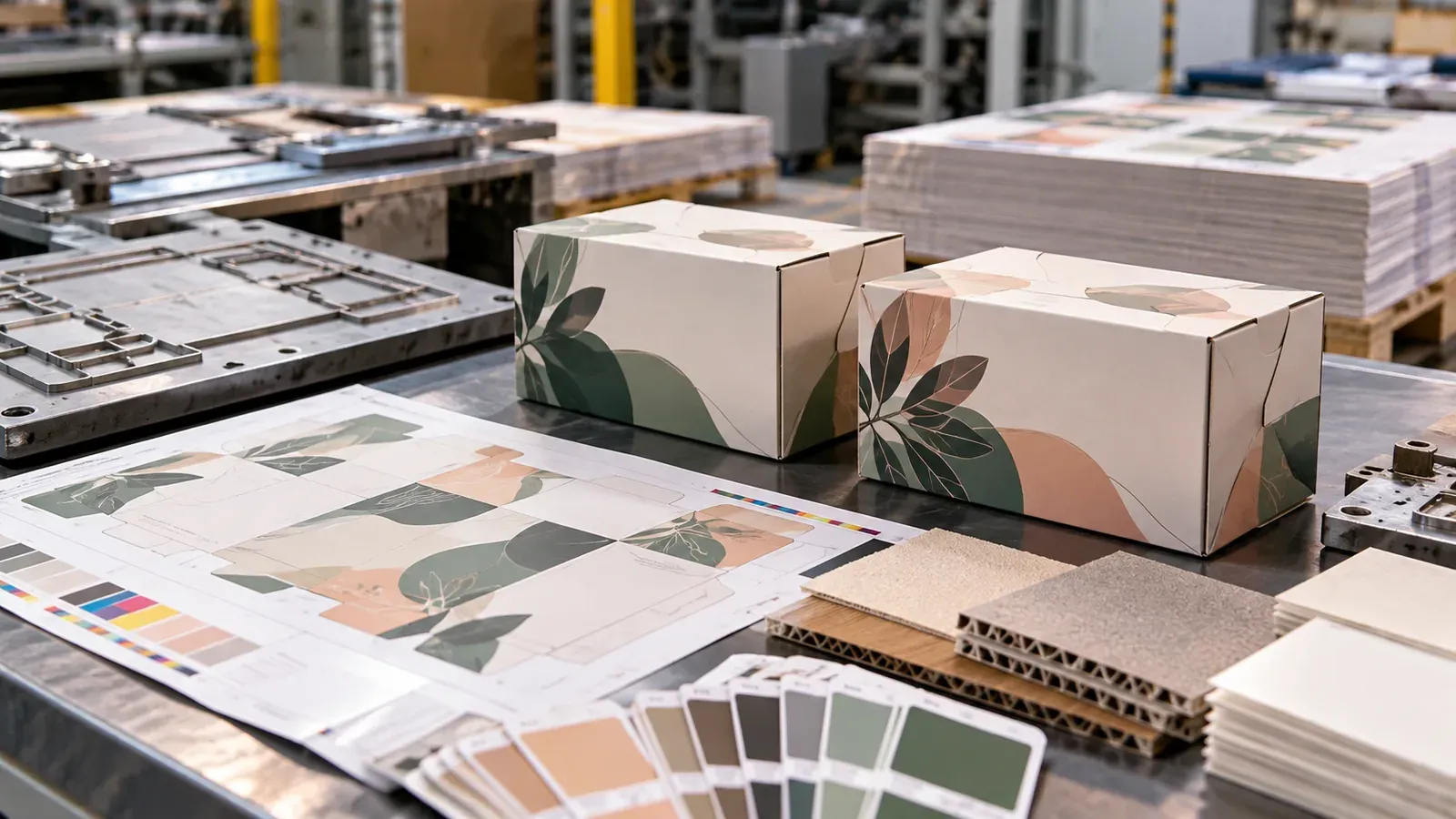
An artwork revision is not only a prepress event. Once a packaging job has moved beyond quotation and approval, the artwork can be connected to plates, proofs, imposition, colour targets, cutting references, language versions, material yield, finishing instructions and the production schedule. When the file changes, management needs to identify which of those assumptions are still valid before the job continues.
The operational impact depends on when the change arrives
A revision before production planning may be relatively cheap; the same revision after plates, tooling or material preparation can create real cost and delay. That is why version control needs more than a file name. The workflow should know the release status of the job and which production activities have already consumed the approved version. A late change should automatically trigger a broader review than an early design correction.
Version identity must remain unambiguous
Packaging work often contains similar SKUs, languages, promotional versions or regulatory panels. If teams rely on email attachments or visually similar filenames, the risk is not only rework but producing the wrong sellable product. Every released artwork version should have a clear status, effective point and link to the affected job quantities. Superseded versions should remain traceable without being available for accidental production use.
Plates, proofs and colour approvals may need to restart
A visual change can require new plates or digital files, another proof, revised colour approval or a repeat of customer sign-off. The key is to know which approval steps are invalidated by the type of change. A small text move may not affect a spot colour target; a changed image or substrate can. A controlled workflow uses rules and judgement rather than treating every revision identically.
Imposition and material yield can change unexpectedly
Artwork dimensions, version quantities or structural references can alter how jobs fit on a sheet or web. A revision may therefore change the planned imposition, gang-run combination or material requirement even when the finished pack size remains the same. If the material plan was already reserved or cut, the cost impact can be larger than the artwork change suggests. Rechecking yield is especially important when multiple SKUs share a production run.
Tooling and finishing references must stay synchronized
Packaging production links printed graphics to physical structure. Die lines, embossing, foil positions, windows, varnish, lamination and folding references can all depend on the approved file. A mismatch between updated graphics and existing tooling can produce waste that is only discovered late. The revision workflow should therefore identify whether a change affects print-only content or any finishing and structural reference.
The schedule needs a new critical path
A changed file may appear to add only one approval task, but it can move several dependent activities. New plates may miss a planned press slot; the new press slot may collide with finishing capacity; a changed gang-run partner may have to be separated. Planners should recalculate the remaining path from approval to shipment rather than simply inserting the revision into the old schedule.
Commercial treatment should follow operational evidence
Account teams need enough information to decide whether a revision is included, chargeable, or requires a due-date conversation. That decision is easier when the system can show which activities must be repeated and what capacity or material is affected. The goal is not to turn every change into a surcharge. It is to stop commercially significant work from becoming invisible simply because the customer described it as a minor artwork update.
A practical revision-control checklist
When a released artwork changes, confirm the new version identity, affected SKUs and quantities, proof status, plate or file status, imposition, material allocation, tooling references, finishing instructions, capacity reservations and delivery commitment. Record what was already completed under the prior version and whether any material or work can still be used. Only then should the revised job be re-released to production.
Connecting artwork control to Jupiter
ACC — Jupiter Printing & Packaging ERP includes sales order and version control, artwork and job revision tracking, production planning and shop-floor visibility as part of a connected print workflow. The management principle is to make revision impact visible across the job, not leave it inside prepress.
Related ACC Insights
- Why Printing and Packaging Jobs Lose Margin Between Quote and Shipment
Management checklist
- Confirm the current job assumption that management is relying on.
- Compare the planned condition with the latest operational evidence.
- Identify whether cost, capacity, quality or delivery commitment has changed.
- Assign an owner and decision time for material exceptions.
- Keep the reason for the decision attached to the job for post-job learning.
Build an impact gate around released artwork
The important control point is not simply whether a file is labelled approved. It is whether the released version has already created downstream commitments. Once plates, proofs, impositions, dies, foil blocks, material allocations or production slots have been prepared, a revision becomes an operational event. A controlled workflow should therefore ask what has already been consumed and what must be regenerated before the new version can safely move forward.
A practical impact gate can be lightweight. First identify exactly which artwork element changed. Then identify every dependent object or instruction that was created from the earlier version. Finally decide whether each dependency remains valid, must be replaced, or needs a new approval. This prevents a common failure mode in which the PDF is updated correctly but an older plate, proof, dieline or packing instruction remains active somewhere else in the job.
Treat version identity as part of the production quantity
Packaging work often contains families of near-identical SKUs: language variants, flavours, pack sizes, seasonal graphics or retailer versions. In that environment, quantity control is inseparable from artwork control. Management needs to know not only that 50,000 cartons are required, but which released version owns each portion of that quantity.
If a revision affects only one SKU in a gang-run, the decision may change the imposition economics for several jobs. If a barcode panel changes after part of the quantity has already been printed, the remaining quantity must be unmistakably separated from completed stock. The safest workflow carries version identity through planning, production reporting, inspection and packing rather than treating it as a prepress-only attribute.
Decide when a change must return to commercial review
Some artwork revisions are operationally minor; others change the economics or promise. A new varnish area, colour requirement, substrate coverage, tooling detail or quantity split can add setup time, material, external processing or scheduling disruption. Operations should not silently absorb those effects simply because the customer describes the request as an artwork change.
A useful threshold is to return the job to commercial review whenever the released revision changes cost, capacity, lead time or shipment risk beyond an agreed tolerance. The review does not have to restart the entire quotation. It should record the changed assumption, the operational effect and the decision to proceed.
This connects directly to the broader margin-control problem described in Why Printing and Packaging Jobs Lose Margin Between Quote and Shipment: a job remains controllable only when changes made after quotation are carried through the same operational model instead of disappearing between departments.
A practical release record
For each released version, keep a compact record of the effective quantity, affected SKU, approval time and the production objects that were regenerated. The record should be simple enough to update during normal work. Its value is that a planner, press operator or finishing supervisor can confirm which version is valid without reconstructing the decision from email. When a late change arrives, the same record shows which dependent items may already be obsolete and which completed quantity remains usable.
Frequently asked questions
Why is artwork version control important after approval?
Because approved artwork becomes an input to plates, proofs, imposition, tooling, finishing and production instructions. A later change can invalidate any of those dependent items.
Does every artwork change require a new production plan?
Not a complete plan, but every released change should trigger an impact check. If material, imposition, tooling, capacity or delivery is affected, the relevant parts of the plan must be updated.
What is the biggest risk with multiple packaging versions?
Producing the wrong version is the most serious risk. Clear version identity, status and quantity mapping are essential when SKUs look similar or share production runs.
When should sales be involved in an artwork revision?
When the change adds material cost, repeated setup, outside processing, capacity disruption or delivery risk. Operations should provide the evidence so the commercial team can make the decision.